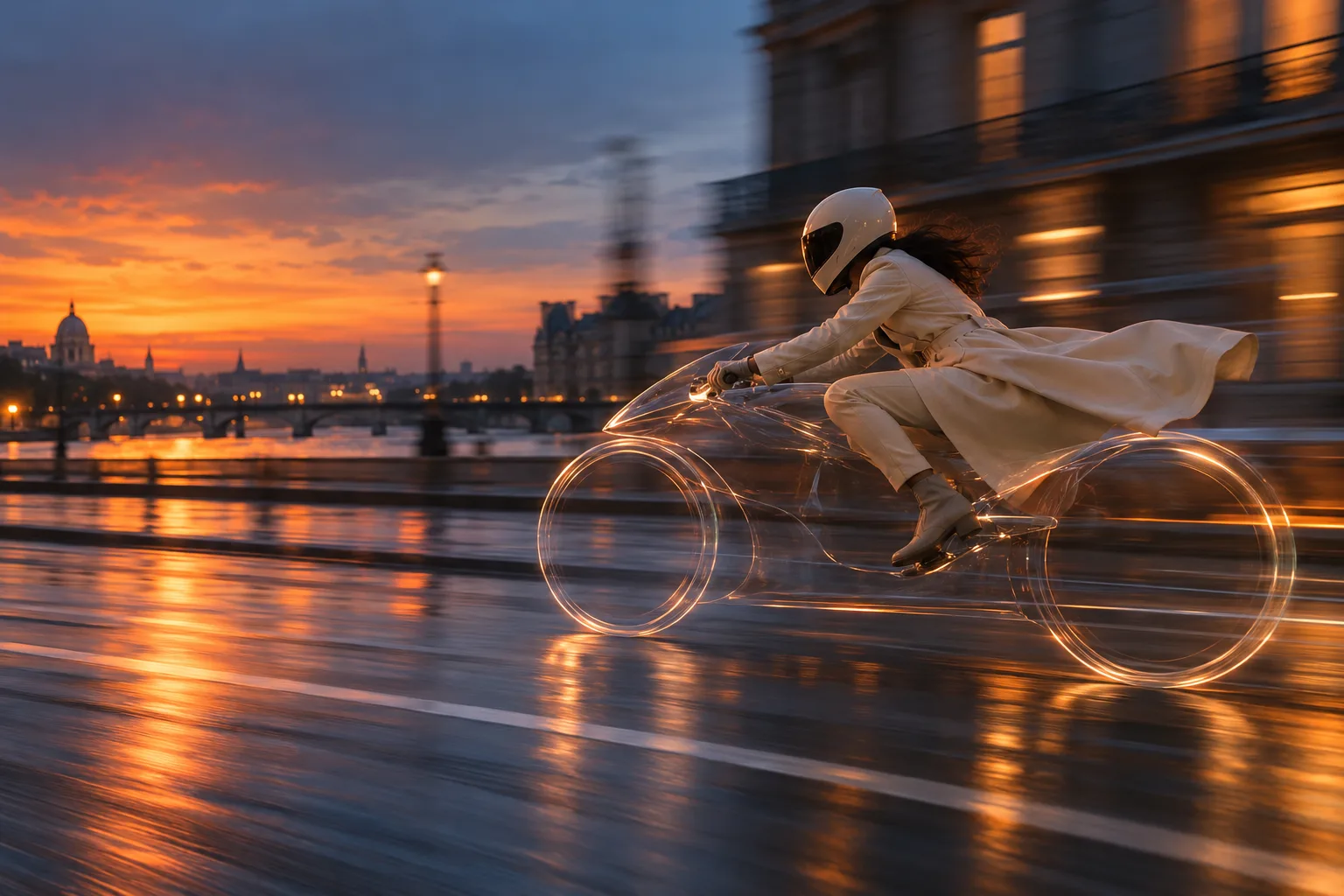
The invisible-ride illusion is strongest when the rider, road, and motion still make physical sense. Keep a few visual cues, then let the missing vehicle become the surprise.
MAKE YOUR VERSION
Create your Invisible motorcycle AI video
Upload a first frame and choose how it moves.
JPEG or PNG · up to 10 MB · use media you have permission to animate
Pricing pendingChecking your account…
THE ESSENTIALS
Make the invisible readable
01
Use an original adult rider image with a readable pose and a safe, empty road.
02
Keep a faint wheel reflection or glass outline so viewers can understand the motion.
03
This page uses an original concept and does not reproduce a character, song, or branded meme.
THE GUIDE
Build the effect
01
Make the rider pose believable
Begin with a side or three-quarter view, visible hands, a helmet, and feet placed where the controls would be. Put the rider on an empty closed-looking street, not in live traffic. The silhouette should read as “riding” before any effect is added.
02
Show just enough of the missing vehicle
Use two faint wheel rings, a restrained glass contour, road spray, or a shadow to anchor the invisible machine. If the vehicle disappears completely, the rider may look as though they are floating without a story. A single lateral camera track keeps the outline consistent.
03
Review the result as an illusion, not a stunt
Inspect hand positions, helmet edges, wheel spacing, and contact with the road across frames. Caption it as an AI-created scene if the context could suggest real footage. Do not use a recognizable character likeness or copyrighted audio as a shortcut to the trend.
COMMON QUESTIONS
Answers at a glance
Is this a character-themed template?
No. The scene uses a generic rider and avoids recognizable character, music, and brand assets.
Can I generate this effect in VideoNira now?
Live generation is currently disabled. You can use the prompt as a planning reference.